Skip to content
imgmov

3 free previews a day, watermarked, no login

Turn a product photo into a video ad

Upload a product photo or script, preview a short clip, then export it. Free previews take about 10 minutes; watermark-free exports start at $4.99.

  • Free preview in about 10 minutes
  • Output in 9:16, 1:1 and 16:9
  • Credit packs from $4.99, no expiry
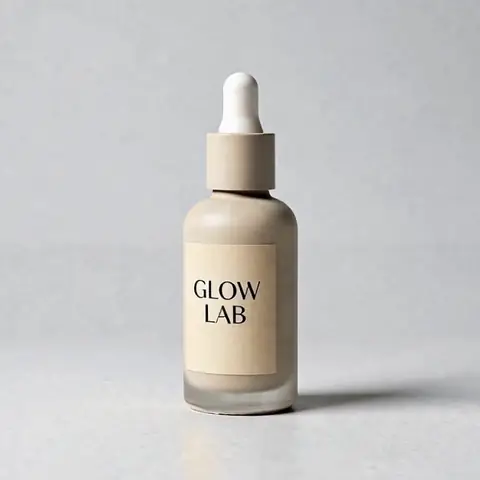
Opening frame of a short product video: the GLOW LAB serum bottle with its white dropper, centred on a light gray surface
Video ad
Matte ceramic skincare serum bottle with a white dropper and a beige GLOW LAB label, standing on a seamless light gray studio surface with a soft shadowYour photo
Real example output: Product ad, Agnes Video 2.5 Flash, 2 credits per second.

Built for two jobs

Product ads for sellers, lesson videos for teachers

imgmov turns one product photo into promo videos that keep the product unchanged, and a lesson outline into a series of consistent clips.

Sellers and product marketers

One product photo, a set of promo videos
  • Matte ceramic skincare serum bottle with a white dropper and a beige GLOW LAB label, standing on a seamless light gray studio surface with a soft shadow

    Source photo

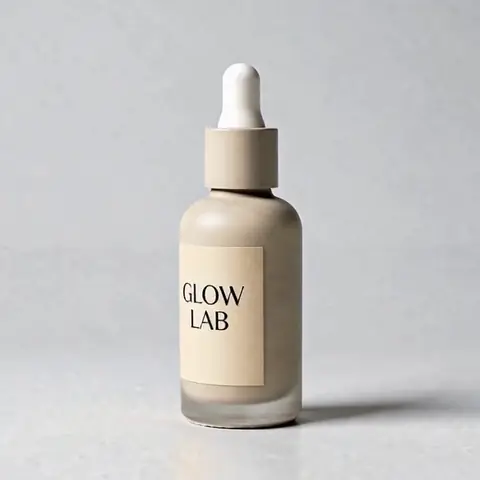
  • Middle frame of the product video: the GLOW LAB bottle seen from a slightly different angle, label and shadow intact

    Middle of the clip

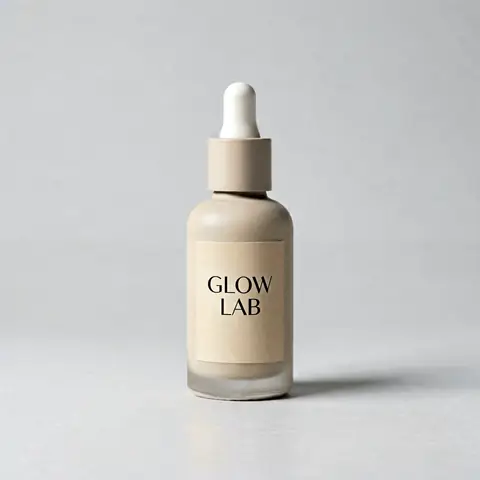
  • Final frame of the product video: the GLOW LAB bottle slightly closer to the camera, still on the gray surface with a soft shadow

    Last frame

  • Lock the product with a reference image so it stays unchanged across shots.
  • Pick 9:16, 1:1 or 16:9 for TikTok Shop, Reels, Douyin and Xiaohongshu.
  • Remix one product into many scripts and ratios, then upgrade the winning clip with paid credits.

Locking is best-effort: check label, logo and color on the first, middle and last frame before you publish.

Product videos for sellers

Teachers and course creators

A lesson outline, a series of clips

  1. Lesson outline pasted as the prompt
  2. Scene 1one clip, 4-20 seconds
  3. Scene 2one clip, 4-20 seconds
  4. Scene 3one clip, 4-20 seconds
  • Paste an outline as the prompt and generate one 4-20 second clip per scene.
  • Plan scenes on a Canvas storyboard node before you render.
  • Reuse one instructor reference image so the presenter stays consistent.

imgmov does not add subtitles or music; finish those in your own editor.

Course videos for teachers
  1. 01

    Start from a prompt

    Upload a product photo or paste a script or lesson outline. Pick a guest-trial model to start for free.

  2. 02

    Shape the storyboard

    Plan scenes on a Canvas storyboard node and lock the look with a reference image.

  3. 03

    Export the cut

    Preview a short clip, then export it. Paid output is watermark-free and cleared for commercial use.

Platform capabilities

One workspace from first frame to export

Plan scenes, lock a look and pick a model in the browser, or automate generation through the REST API.

  • Canvas

    Storyboard and reference nodes for planning scenes before you generate.

  • Reference-image locking

    Keep a product or an instructor consistent from clip to clip. Best-effort, so check details before you publish.

  • One multi-model workspace

    Text-to-image, text-to-video and image-to-video in one place. Every model's credit cost is listed on the pricing page.

  • Optional native audio

    Seedance 2.5, Kling v3 Omni and Veo 3.1 can generate native audio. Kling bills 49 credits per second with audio, 39 without.

  • Formats and length

    9:16, 1:1 or 16:9, one 4-20 second clip per run depending on the model. No subtitles or music are added.

  • REST API

    Task polling, SSE streams and webhooks for automated workflows, with Bearer token authentication.

Models

Nine image and video models, priced per use

Start with the two free guest-trial models. Premium models unlock with credits.

  • Agnes Image 2.5 Flash

    1 credit per image

    ImageGuest trial
  • Agnes Video 2.5 Flash

    2 credits per second

    VideoGuest trial
  • SDXL Inpainting

    3 credits per image

    Image
  • Seedream 5.0 Lite

    5 credits per image

    Image
  • Nano-Banana 2

    5 credits per image

    Image
  • GPT Image 2

    2 to 80 credits per image

    Image
  • Seedance 2.5

    18 credits per second at 480p

    Video
  • Kling v3 Omni

    39 credits per second

    Video
  • Veo 3.1

    80 credits for 4 seconds

    Video

Compare

See how imgmov differs from other tools

If your priority is finished course videos or consistent product promo videos, start with imgmov. If you need a single premium cinematic model, use the model guides and compare cost per generation.

Pricing

Free to try, $4.99 to keep it clean

Guests preview for free. Paid output is watermark-free and cleared for commercial delivery.

Guest trial

Free

  • 3 watermarked previews per guest per day
  • 1K, no login, no credit card
  • Agnes Image 2.5 and Agnes Video 2.5 Flash

Starter

$9.99/mo

  • 1200 monthly credits
  • Commercial delivery
  • Watermark-free output

Pro

$29/mo

  • 3500 monthly credits
  • Priority queue
  • Premium models
  • Quick Pack600 credits, never expire$4.99
  • Creator Pack2400 credits, never expire$19.99
  • Studio Pack6000 credits, never expire$49.99

Credit packs never expire and need no subscription. Subscriptions renew monthly until canceled. Waffo Pancake is the merchant of record; new subscribers may request a 7-day refund within plan-usage limits.

What you can check

Facts, not claims

Every figure here comes from a live page you can open.

The first-party model benchmark has a published method but no published results yet, so imgmov makes no measured quality or speed claims. Read the benchmark method.

FAQ

Frequently asked questions

What is imgmov?

imgmov is an AI courseware and product video platform. Teachers turn outlines into series course videos, while sellers turn product photos into short videos that preserve the SKU. Image generation, the gallery, and prompt remixing support those workflows.

How do I get started with imgmov?

Visit imgmov.com, choose image or video mode, pick a guest-trial Agnes model, enter a prompt or upload a photo, and click Generate. No credit card is required to start.

How long does AI video generation take?

Generation time depends on the model and current demand. A free Agnes video preview currently takes about 10 minutes, most of it waiting in the provider's queue; images usually take under a minute. You can close the tab: the video keeps generating and appears in History.

How much does imgmov cost?

Starter is $9.99/month with 1200 credits that reset each billing cycle. Pro is $29/month with 3500 credits on the same monthly reset. Quick, Creator, and Studio packs cost $4.99, $19.99, and $49.99 for 600, 2400, and 6000 credits that never expire.

Can I use AI-generated content commercially?

Yes. Paid outputs can be used commercially per our terms of service. Free Agnes previews are watermarked research previews and are not approved for commercial delivery.

Can I use a reference image to guide generation?

Yes. In image mode, upload a reference image and the AI will generate variations inspired by it. In video mode, upload a photo to animate. The First & Last Frame feature lets you define start and end frames for precise video control.